

Fluent Integration
Use this guide to connect Fluent to NanoGPT. Fluent can use NanoGPT as a model provider and can also run the NanoGPT MCP server as an integration.Add NanoGPT as a model provider
- Get your API key from nano-gpt.com/api
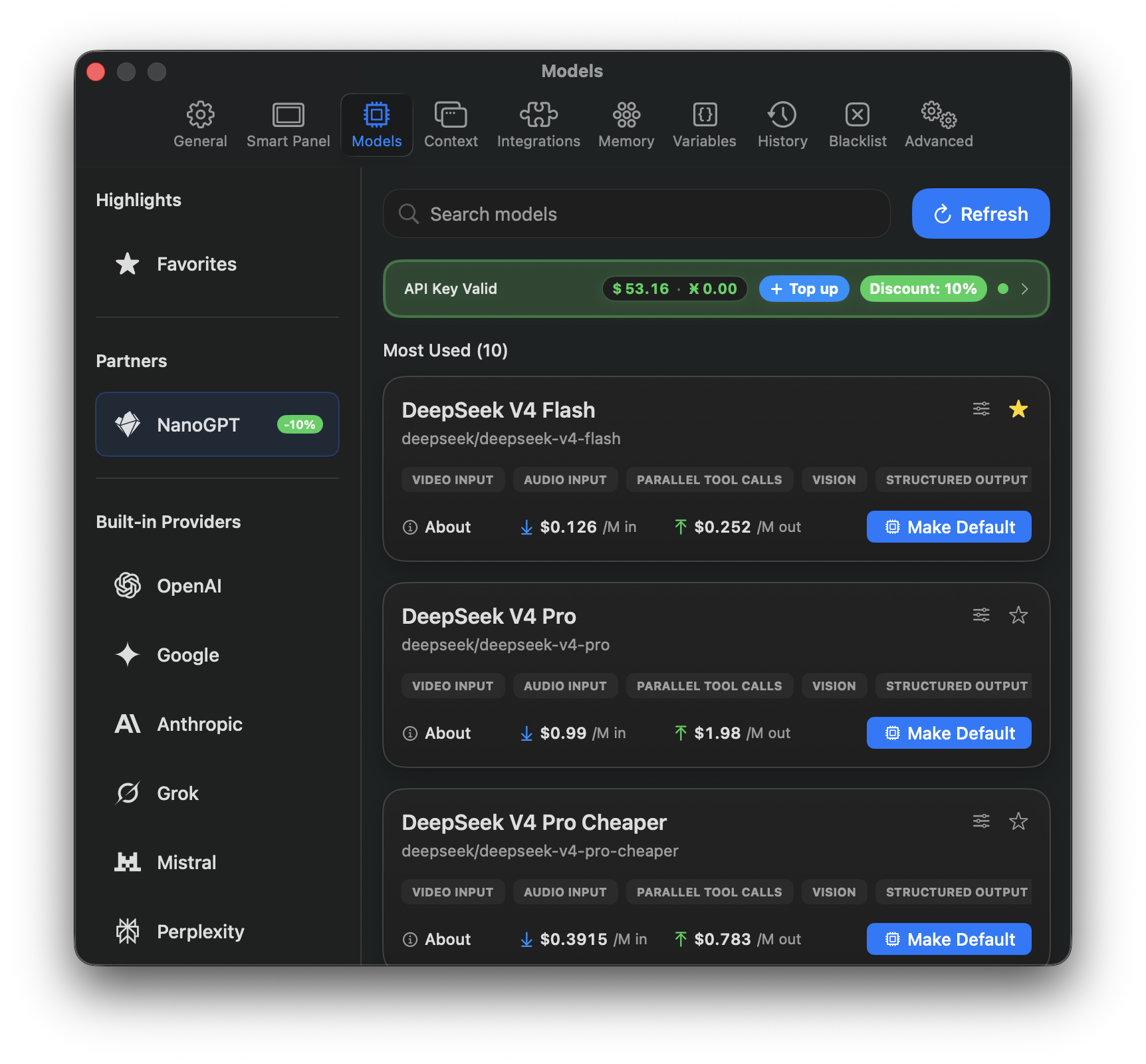
- Open Fluent Settings and go to Models.
- Under Partners, select NanoGPT.
- Enter your NanoGPT API key.
- Click Refresh to load the available NanoGPT models.
- Choose the model you want to use, then click Make Default if you want Fluent to use it by default.
Add NanoGPT MCP
NanoGPT MCP gives Fluent access to NanoGPT tools such as chat, balance checks, image generation, web search, URL scraping, YouTube transcription, and model listing.- Open Fluent Settings and go to Integrations.
- Click Add Integration, then choose Configure Manually.
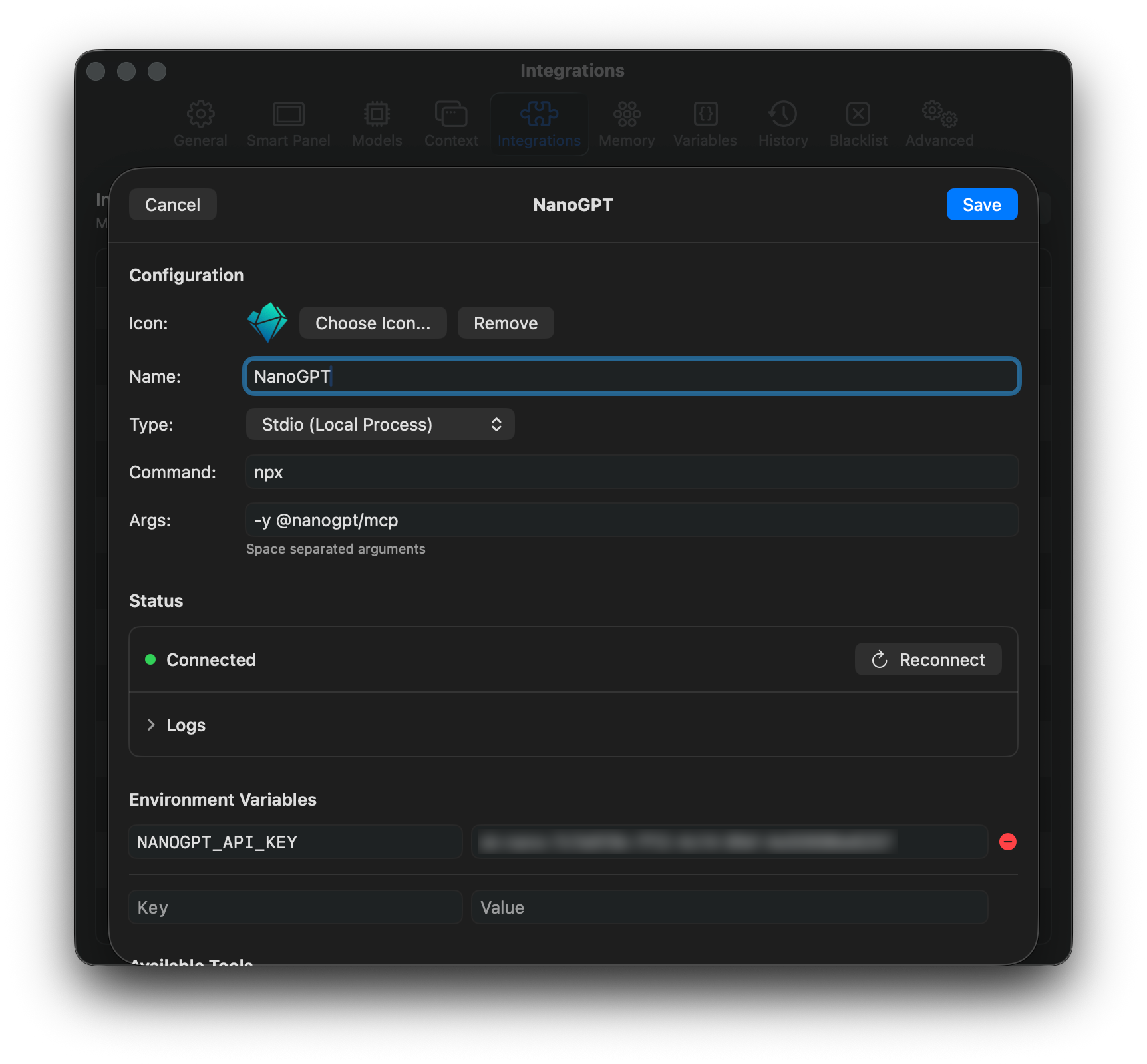
- Set the integration name to
NanoGPT. - Set Type to Stdio (Local Process).
- In Command, enter:
- In Args, enter:
- Add an environment variable:
- Key:
NANOGPT_API_KEY - Value: your NanoGPT API key
- Key:
- Save the integration.
Notes
- You need Node.js 22.x or later for the NanoGPT MCP server.
- If Fluent does not connect, verify that
npxis available in your shell and thatNANOGPT_API_KEYis set on the integration. - If you rotate your NanoGPT API key, update it in both the NanoGPT model provider settings and the NanoGPT MCP integration environment variables.