

RisuAI Integration
Use this guide to connect RisuAI to NanoGPT so you can run your chats through NanoGPT models.Before You Start
- Create or log in to your NanoGPT account.
- Generate your API key at nano-gpt.com/api.
- Open risuai.xyz.
Step-by-Step Setup
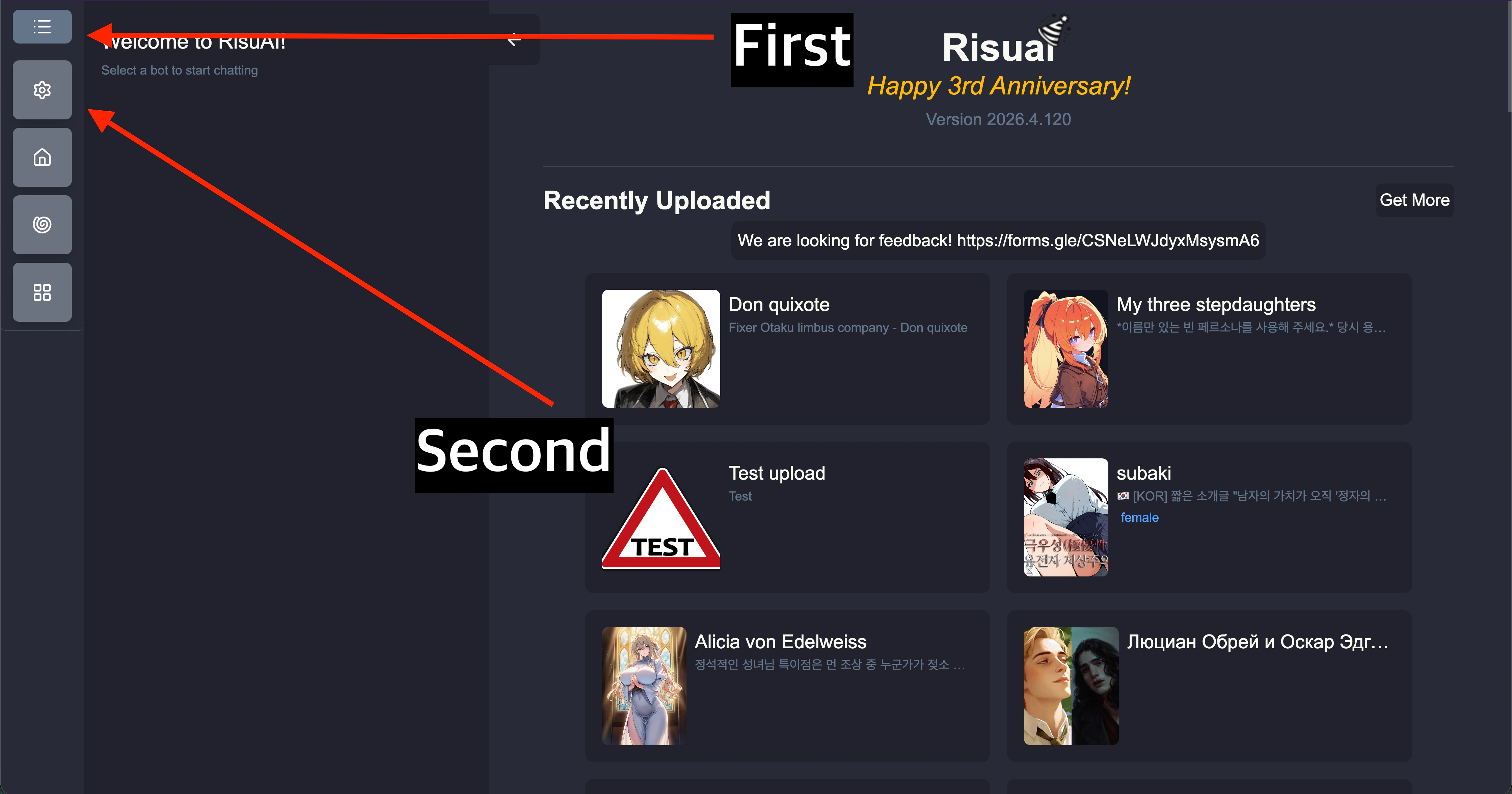
- From the RisuAI home screen, open the left menu (hamburger icon), then go to Settings.
- In Settings, open the Chat Bot panel.
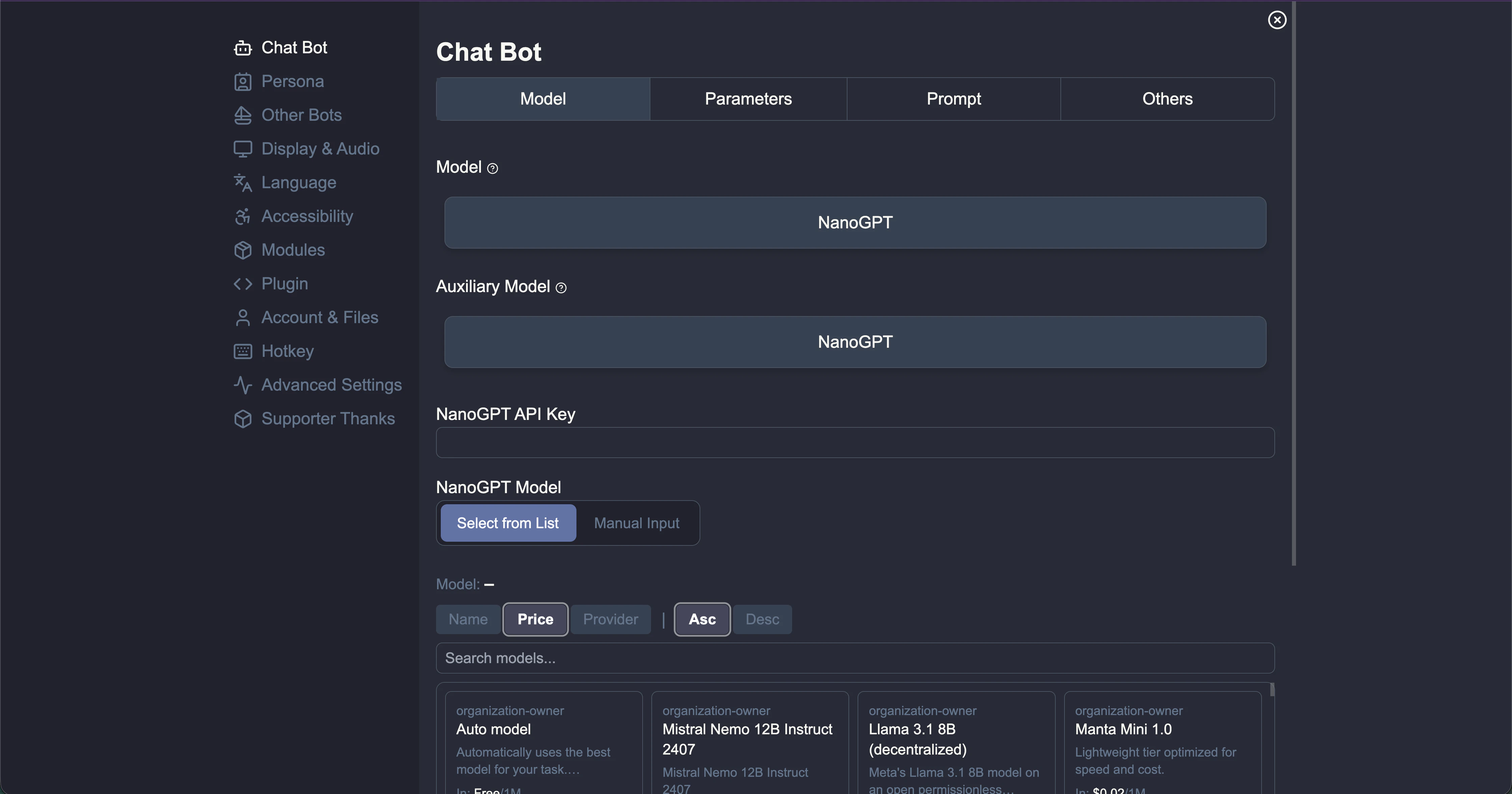
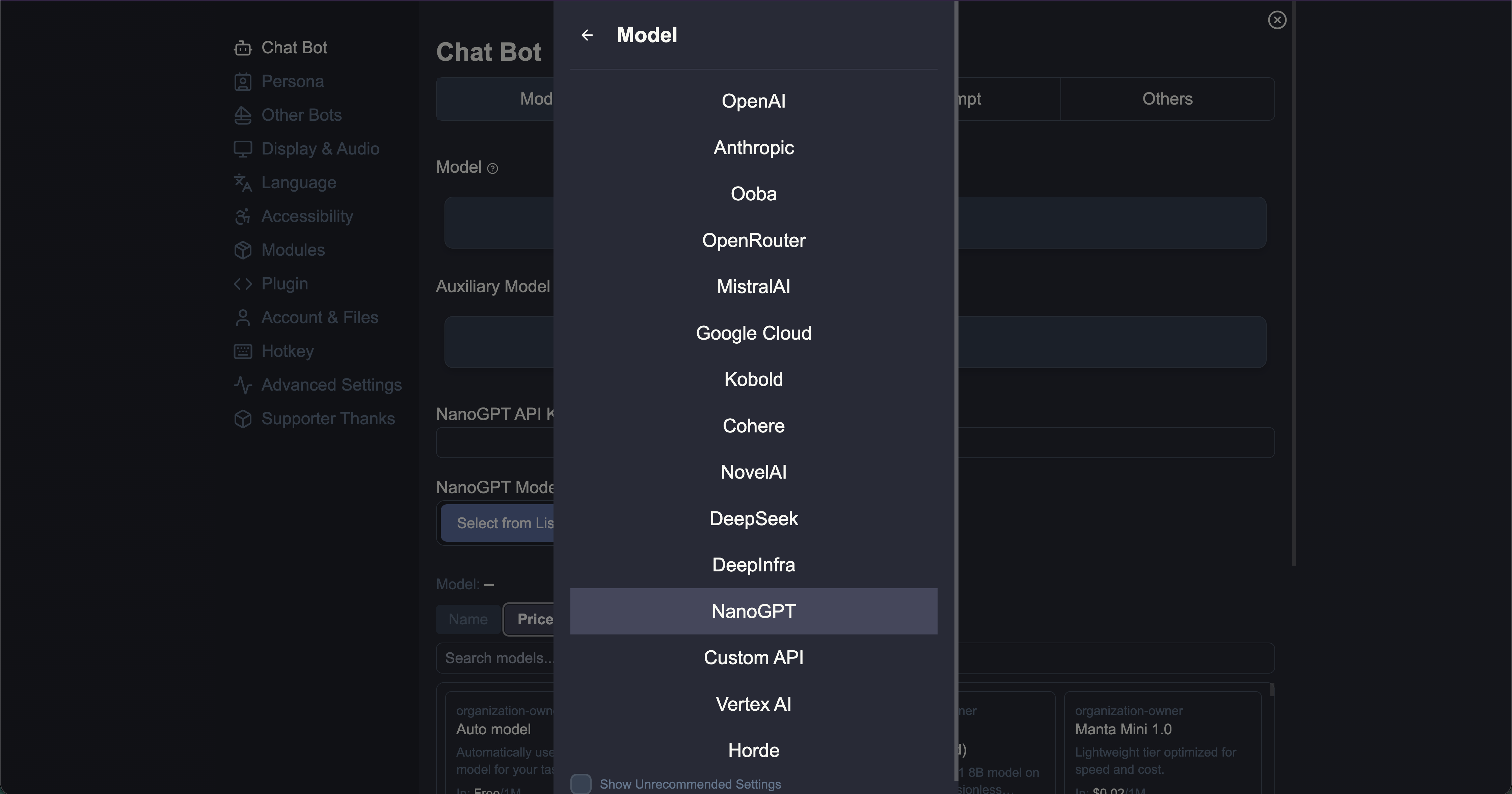
- Set both of these fields to NanoGPT:
- Model
- Auxiliary Model
- Paste your key from nano-gpt.com/api into NanoGPT API Key.
- If you have a NanoGPT subscription, enable Use subscription endpoint & models.
- If this is not enabled, RisuAI uses pay-as-you-go mode by default.
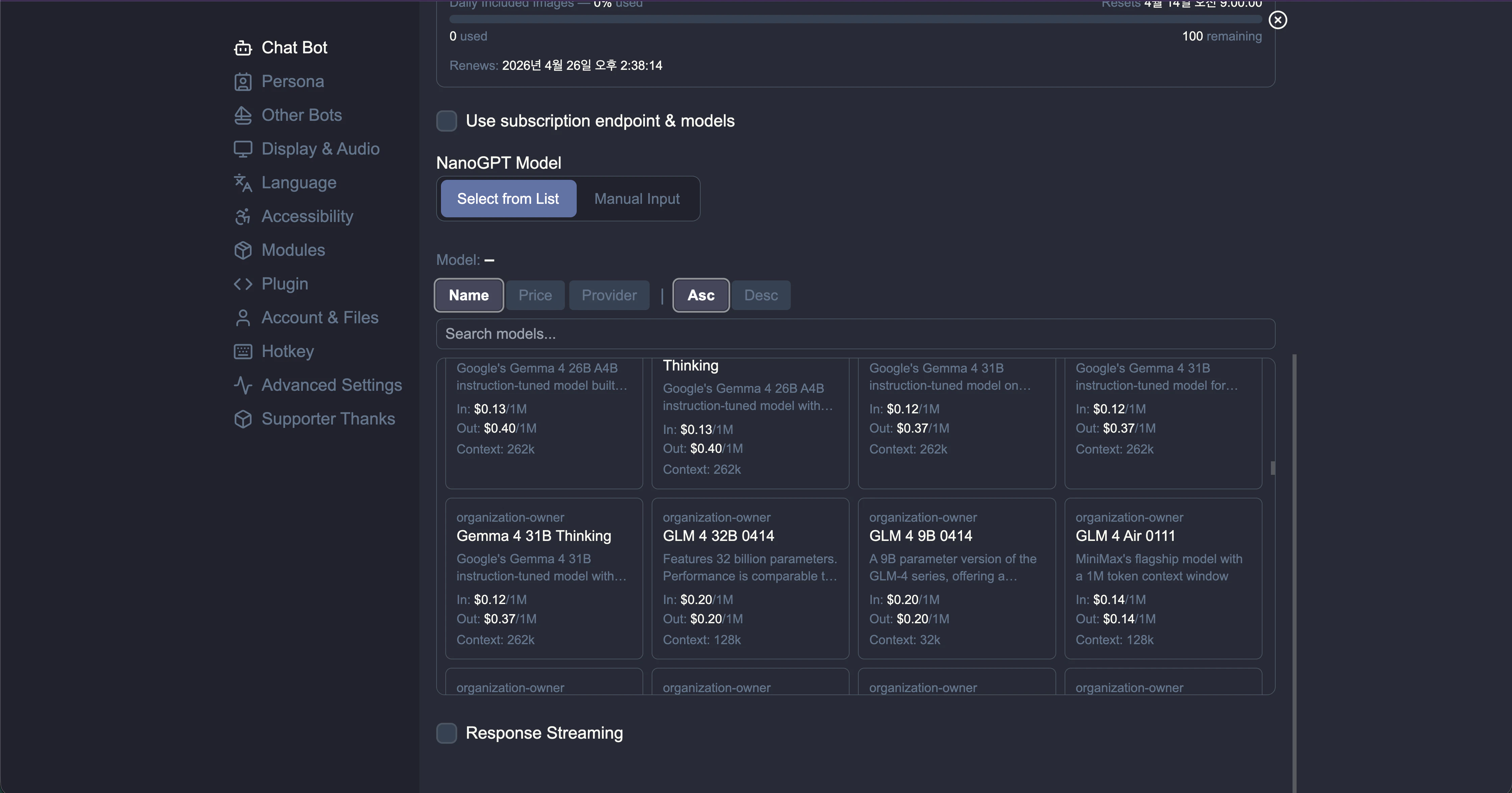
- Choose your model in NanoGPT Model:
- Select from List to browse available models.
- Manual Input if the model list does not load or you want to enter a model ID directly.
- Optional: enable Response Streaming for streamed output.
Pay-As-You-Go Provider Selection
In pay-as-you-go mode, some models expose multiple providers. RisuAI will show provider options with pricing so you can compare and choose.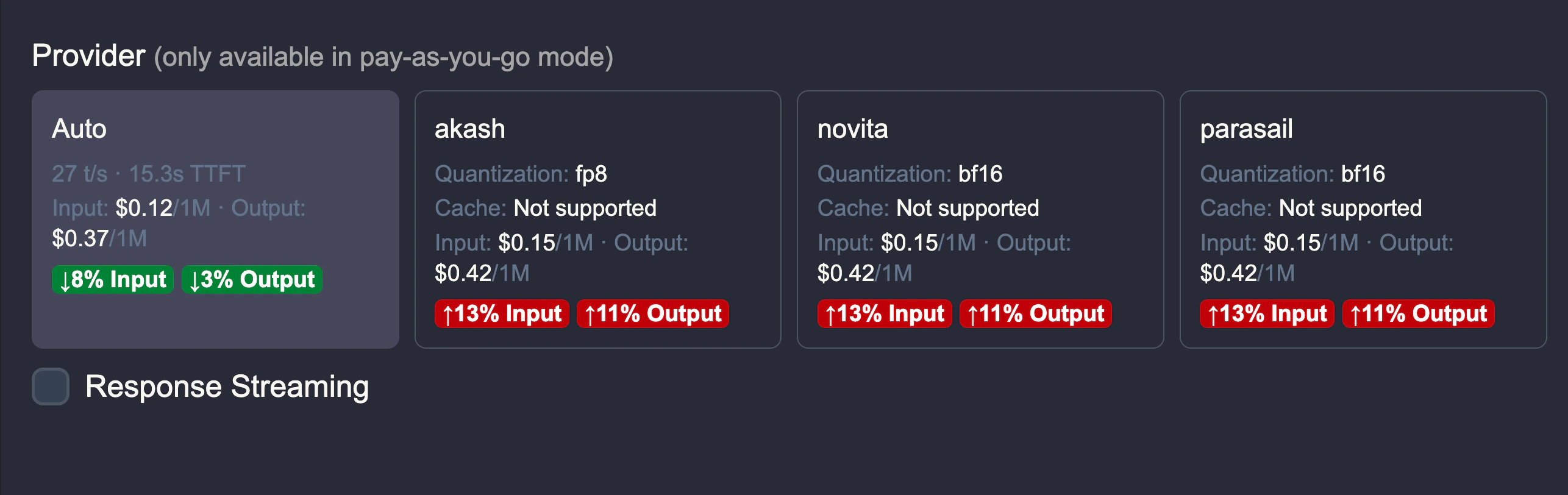
Quick Troubleshooting
- Model list not loading: switch to Manual Input and enter the model ID.
- Unexpected pricing mode: verify whether Use subscription endpoint & models is enabled.
- Auth errors: confirm your NanoGPT API key is valid and pasted without extra spaces.